macOS Tahoe 26.4 Adds Slow Charger Indicator for MacBooks
Key summary
MacOS Tahoe 26.4 adds a slow charger indicator for MacBooks includes a slow charger indicator that notifies users when charging setup is not delivering full power.
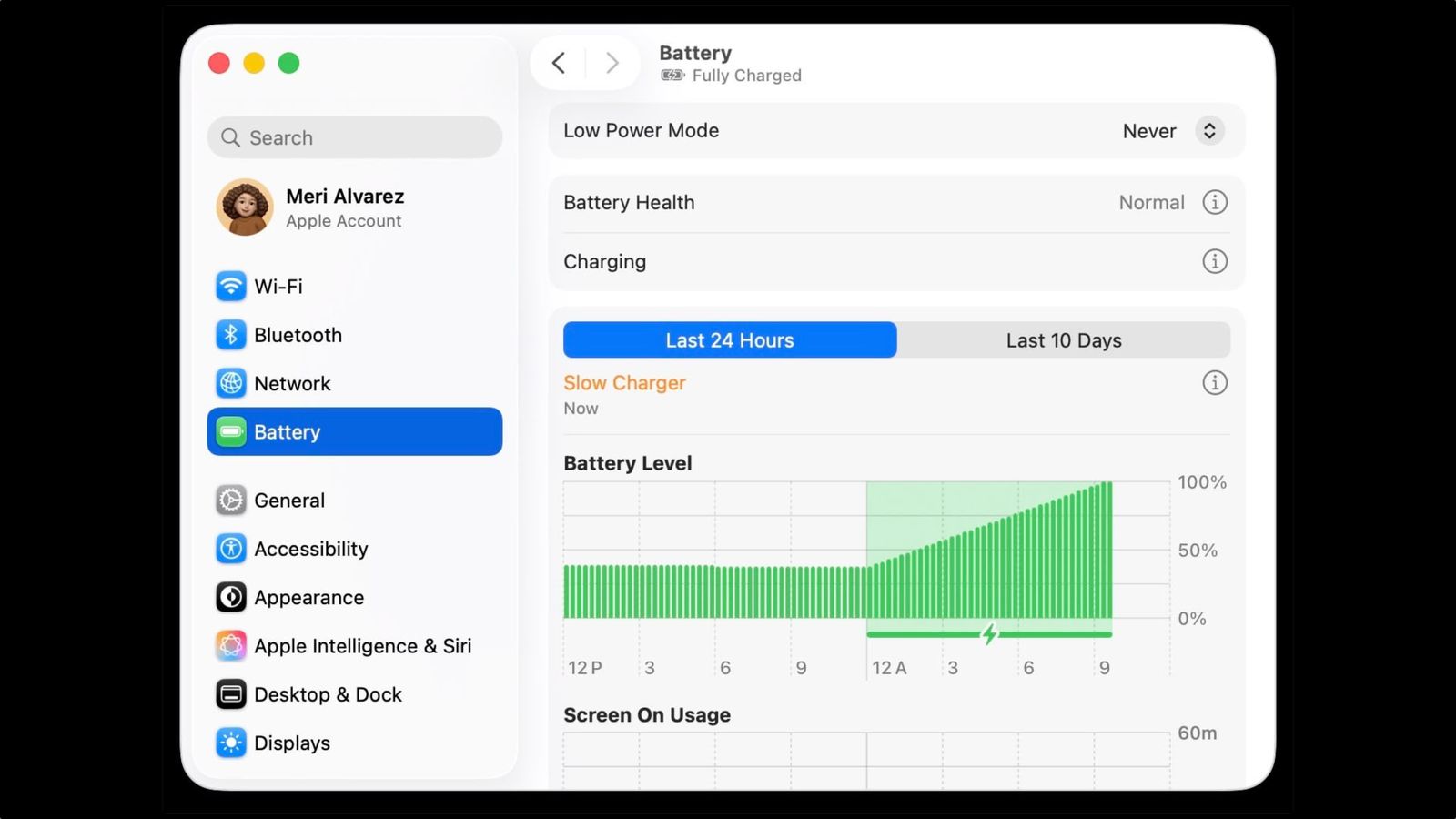
Slow Charger label is shown in orange text in battery menus and settings appears in orange text in the battery status menu and above the Battery Level graph in Battery settings.
Info button is included with the slow charger indicator is provided alongside the slow charger indicator for more information.
Apple support document details the slow charger indicator and guidance for users describes the slow charger indicator and recommended user actions.
Power adapter and cable must meet minimum wattage recommendations to improve charging speed should deliver at least the minimum wattage recommended for the user's MacBook model to charge more quickly.