Gemini app combines ‘plus’ and Tools menu in cluttered web redesign
Key summary
Gemini web interface combined Tools into the plus menu, gemini moved Tools menu items into the plus menu on its web interface.
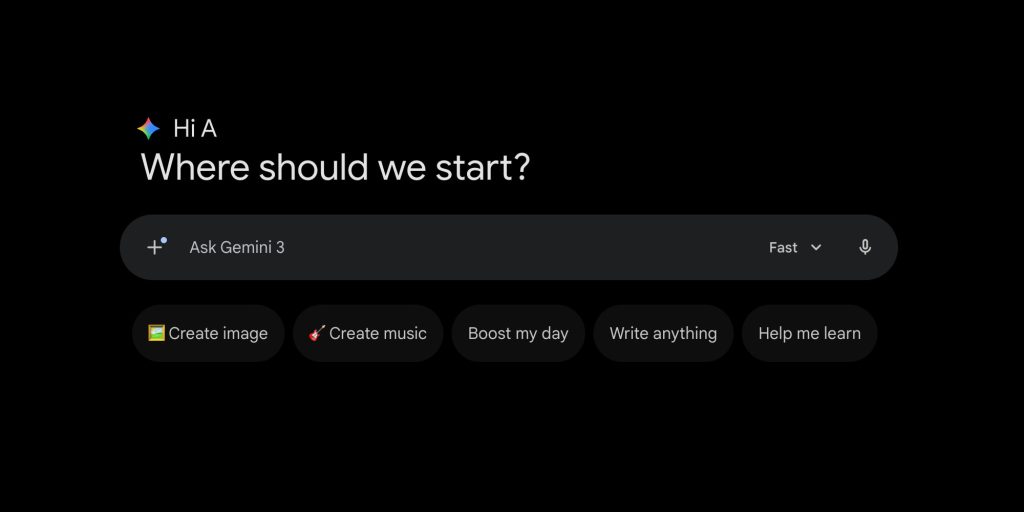
Prompt box returned to a pill-shaped container, the prompt box shape changed on gemini.google.com from a two-line rounded rectangle to a pill-shaped container.
Voice input switches to an upload-style send button when text is entered, voice input button is shown at the right and changes from a hollow microphone to an upload-style send button when text is entered.
Model picker shows icons for Fast, Thinking, and Pro, a model picker appears on the left with new icons labeled Fast, Thinking, and Pro.
Plus menu contains Upload files, Add from Drive, and a More uploads submenu for Photos and NotebookLM, the plus menu includes Upload files, Add from Drive, and a More uploads submenu that reveals Photos and NotebookLM on hover.